ActivityLog Contact us
Use cases · Application activity log Delivery and change

Give your own application an audit trail

Post your application's events to ActivityLog and get a searchable audit trail: who signed in, what they changed, what they exported. It sits next to the rest of your company's activity, tied to the same people and customers.

For you

Answer "what happened?" in seconds

Look up a user or a customer and see their sign-ins, changes and exports in order, without digging through application logs.

One customer's history

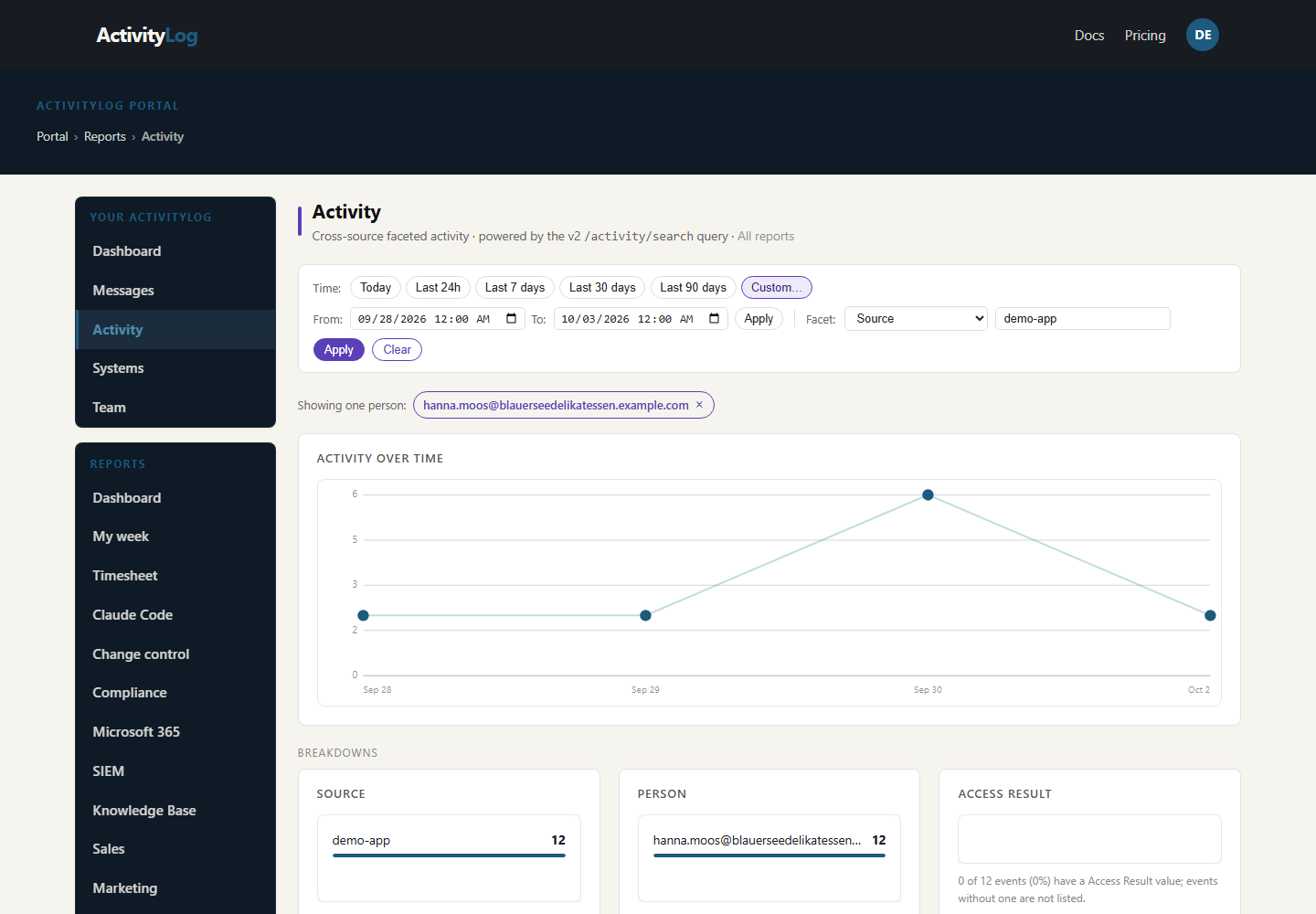
The Activity page scoped to one customer contact in Northwind's customer portal, Hanna Moos at Blauer See Delikatessen: her activity per day, then breakdowns by action and outcome. Wednesday stands out: her role raised from viewer to admin, then a sign-in from a new device and three bulk exports. The portal sends all of it itself through the ingest API.

One customer's history

The raw trail for one day

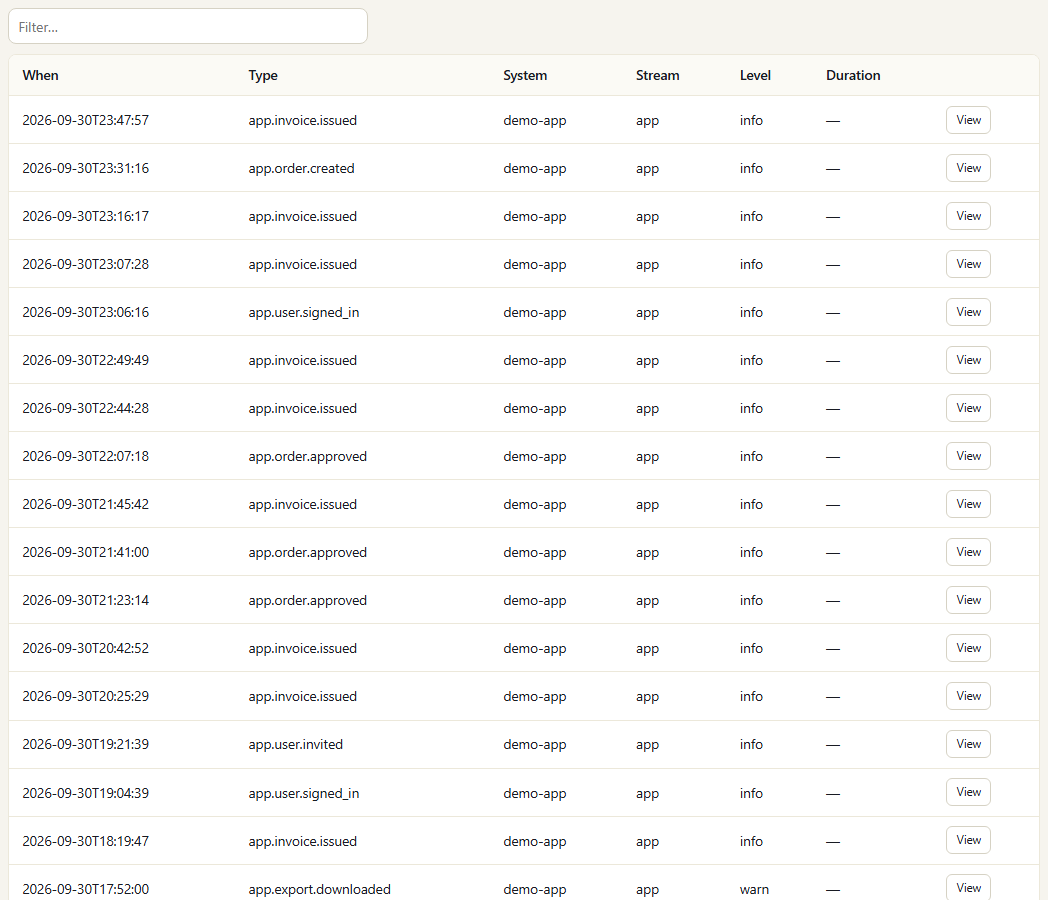
The Messages page filtered to the customer portal on Wednesday, the day of the bulk exports: each record exactly as the application sent it, newest first. It covers everyone who used the portal that day, not one person; search it or open a record when you need the exact details of one action.

The raw trail for one day
For your organisation

An audit trail you did not have to build

Every application event, filterable by person, customer, action and outcome, with permission changes and unusual exports easy to spot. One API call per event.

One application's audit trail

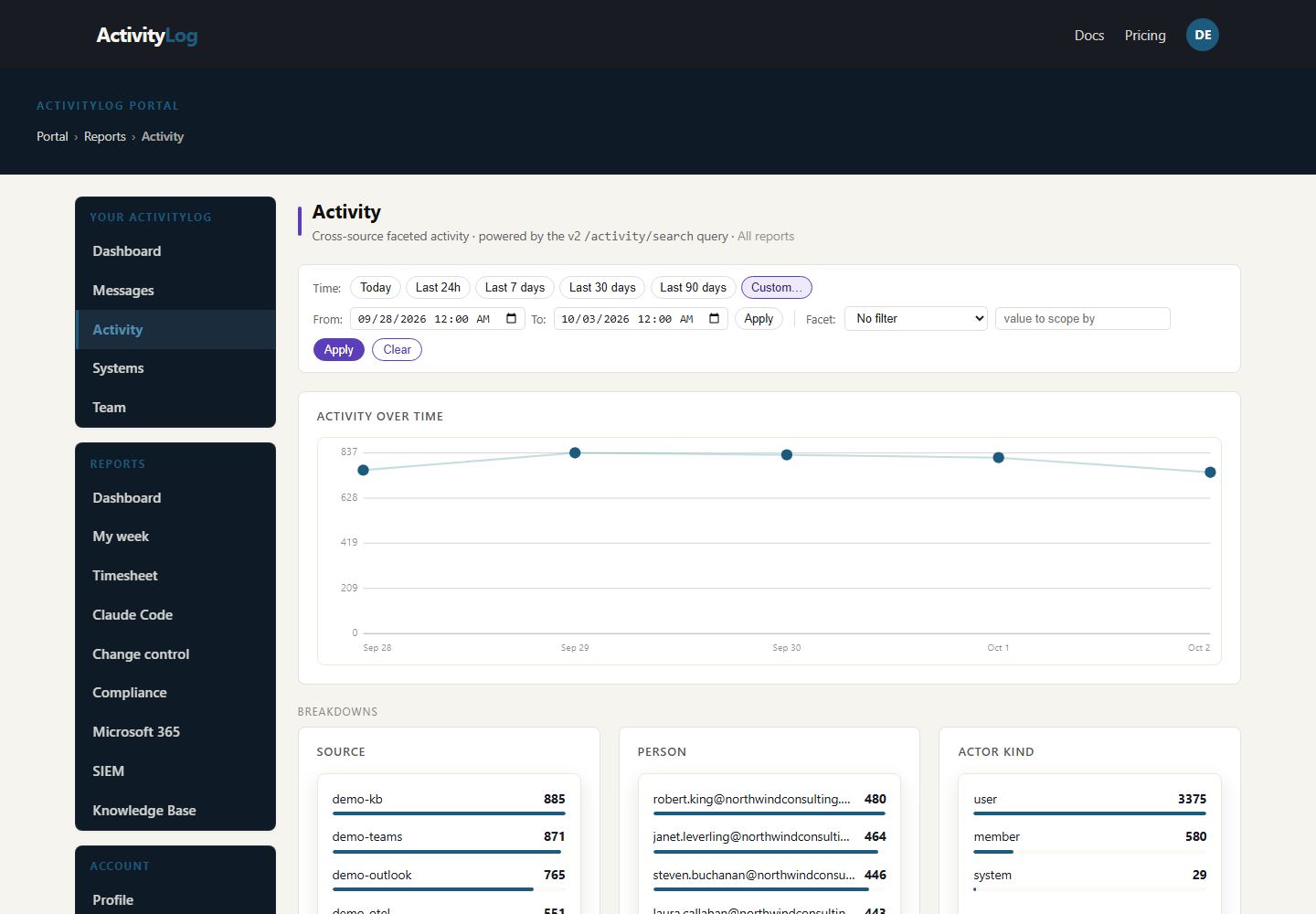
The Activity page scoped to Northwind's customer portal for the showcase week: activity per day, then breakdowns by person, action and outcome. Wednesday's permission change and the bulk export after it are the ones to find.

One application's audit trail

Who used the app

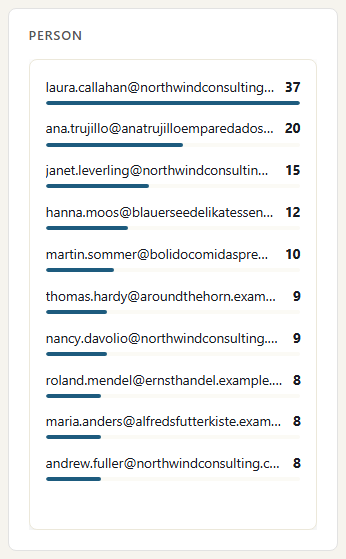
Activity by person, staff and customer contacts together, most active first. People are matched by the email the application sends. A customer contact suddenly near the top is worth a look.

Who used the app

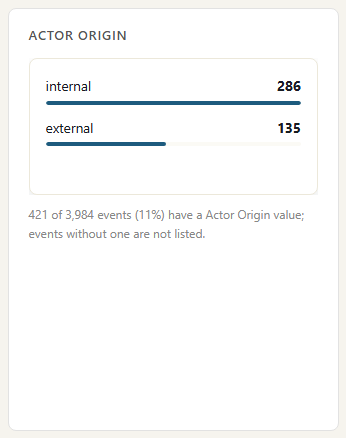
Staff versus customers

Internal against external activity, from the external flag the application sets on customer users. A jump in internal admin activity, or in customer exports, stands out here.

Staff versus customers

Where the data comes from

This one is your own data. Your application sends a short record each time something worth keeping happens, and ActivityLog stores it next to everything else.

Your application

What we collect

Whatever you choose to send. Typically who acted, what they did (signed in, changed a setting, approved, exported), what it was done to, whether it worked, and whether the person is staff or a customer.

How it connects

One HTTPS request per action to the ActivityLog ingest API with a token, or many at once in a batch. No SDK needed. You can send your own timestamp and your own id, so a retry is never counted twice.

How it works

  1. Your application sends its activity

    Add one call where your application already records important actions: sign-ins, permission changes, approvals, exports.

  2. Tie it to people and customers

    The person's email ties each action to a person, the same person who appears in Microsoft 365 and your other tools. Mark customer users as external and include the customer name, and the trail splits staff from customers.

  3. Search and break it down

    Filter by person, customer, action and outcome, or read the raw trail in order.

  4. Answer the question

    Support answers 'what happened to this account?' in seconds. The product owner spots a permission change followed by an unusual export.

Questions

How much work is it to add?

One HTTPS call where your application already writes its own audit records. Most teams start with sign-ins, permission changes and exports, then add more.

What should we not send?

Keep it to who did what to which record. Do not send passwords, card numbers or the full content of records. You control the payload, so you control what we hold.

Can we search by customer?

Yes. Include the customer or account name with each record and you can filter by it. Mark customer users as external and the page splits staff activity from customer activity.

Built from

  • Your applications, through the ActivityLog ingest API

See it with your own sources.

ActivityLog is in beta. Connect the tools you already use and get this report for your organisation.

See pricing →

Questions first? Talk to us → · All use cases