Microsoft 365
What we collect
Meetings and calls with their attendance time, mail sent and received, documents opened and shared. Never message or file content.
How it connects
Read-only Microsoft 365 connection approved once by your admin.
ActivityLog gathers everything that happened for one client or project: who worked on it, the hours, the meetings, what shipped, the documents and what is still open. It drafts a weekly summary from those facts that you can edit and send.
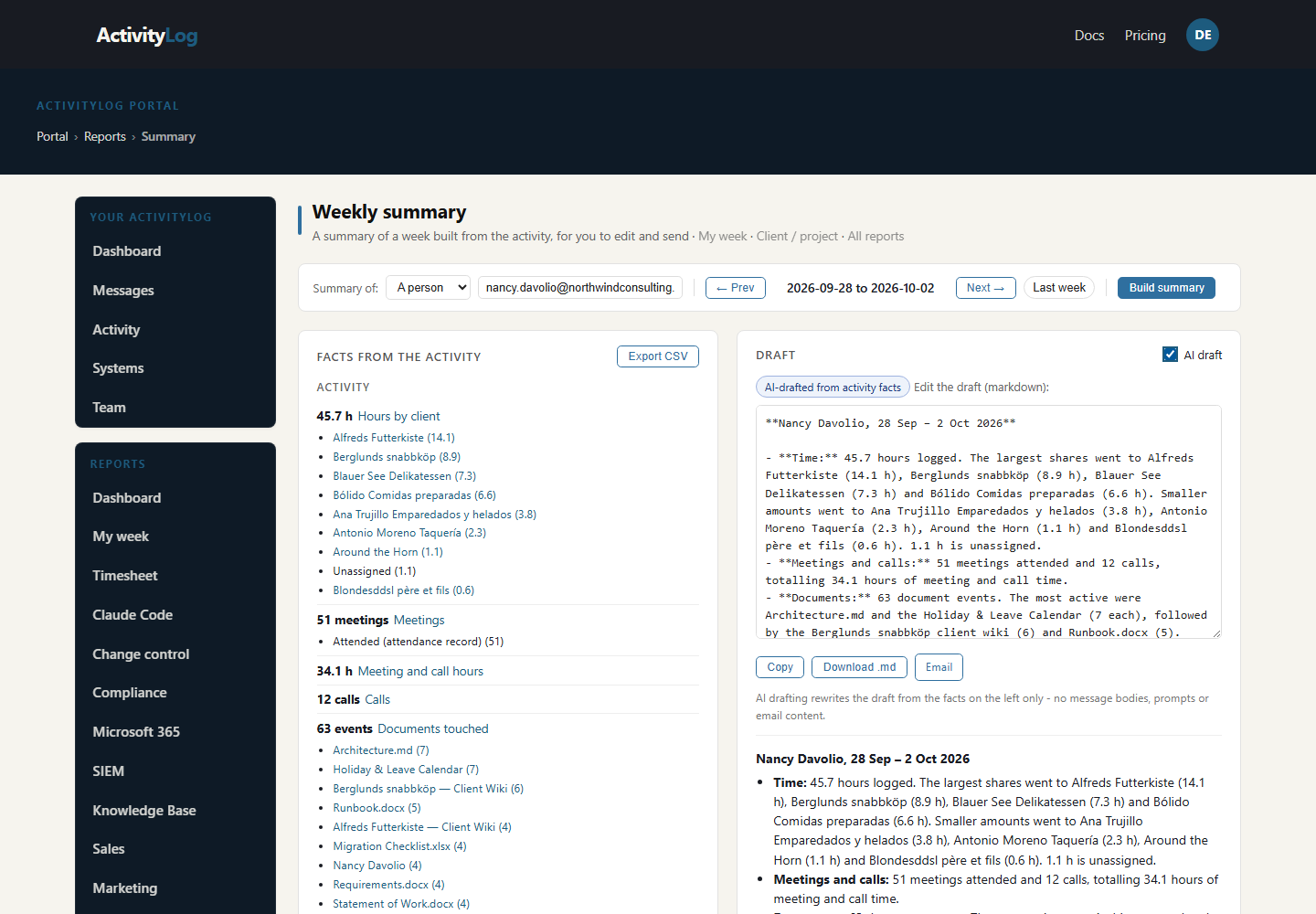
Pick your week and ActivityLog lists what you did: hours by client, meetings, changes, tickets and documents. Edit the draft and send it to your boss in a couple of minutes.
The summary writer for one person and one week: the facts on the left (hours by client, meetings, changes, tickets, documents) and the editable draft on the right, ready to copy or email.
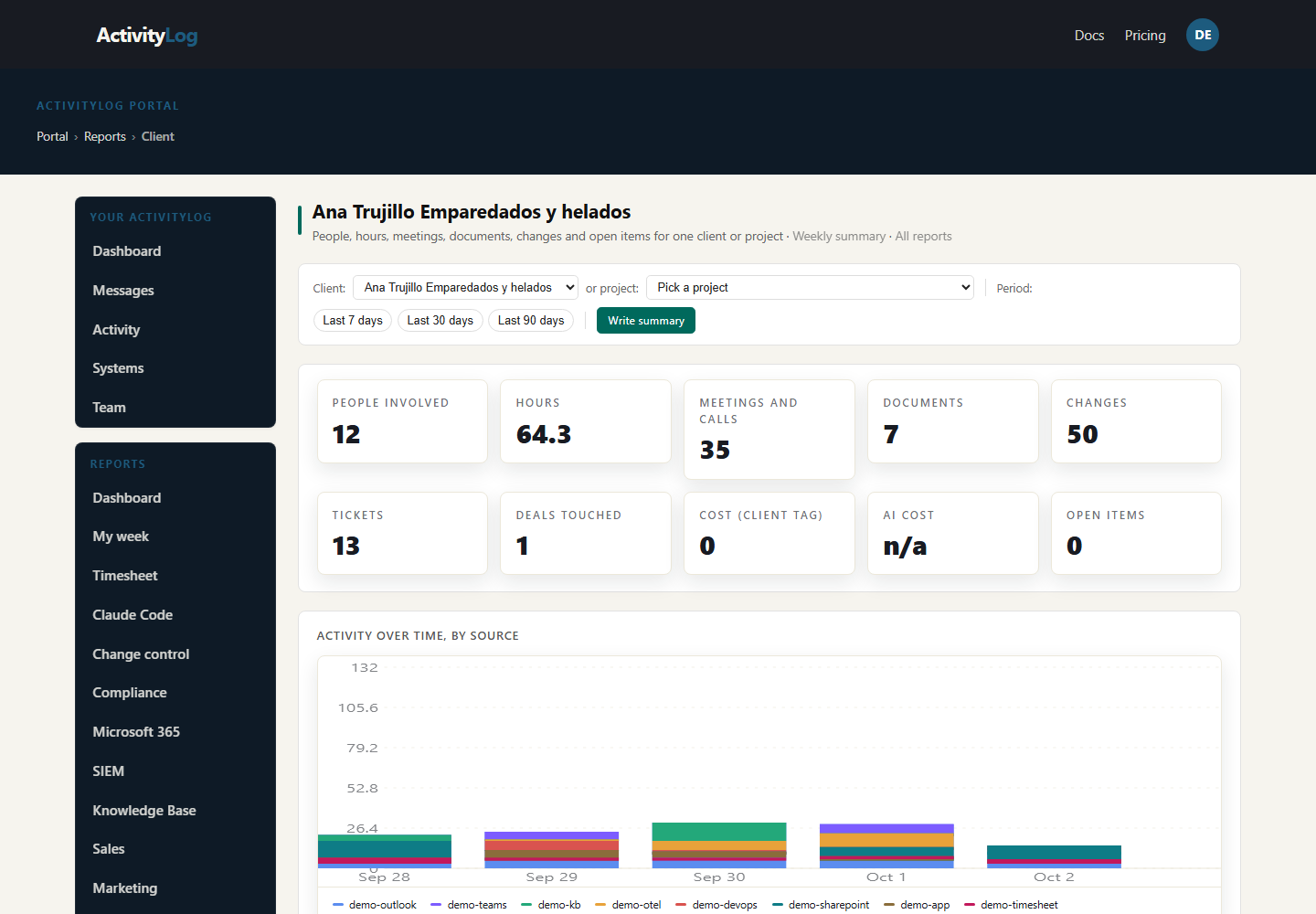
Pick a client or project and see the week in one place: people, hours, meetings, changes and open items. Turn it into a summary for the partner or the business without asking the team for updates.
The client page for Ana Trujillo: people involved, hours, meetings, changes and documents for the week, and the open items still waiting.
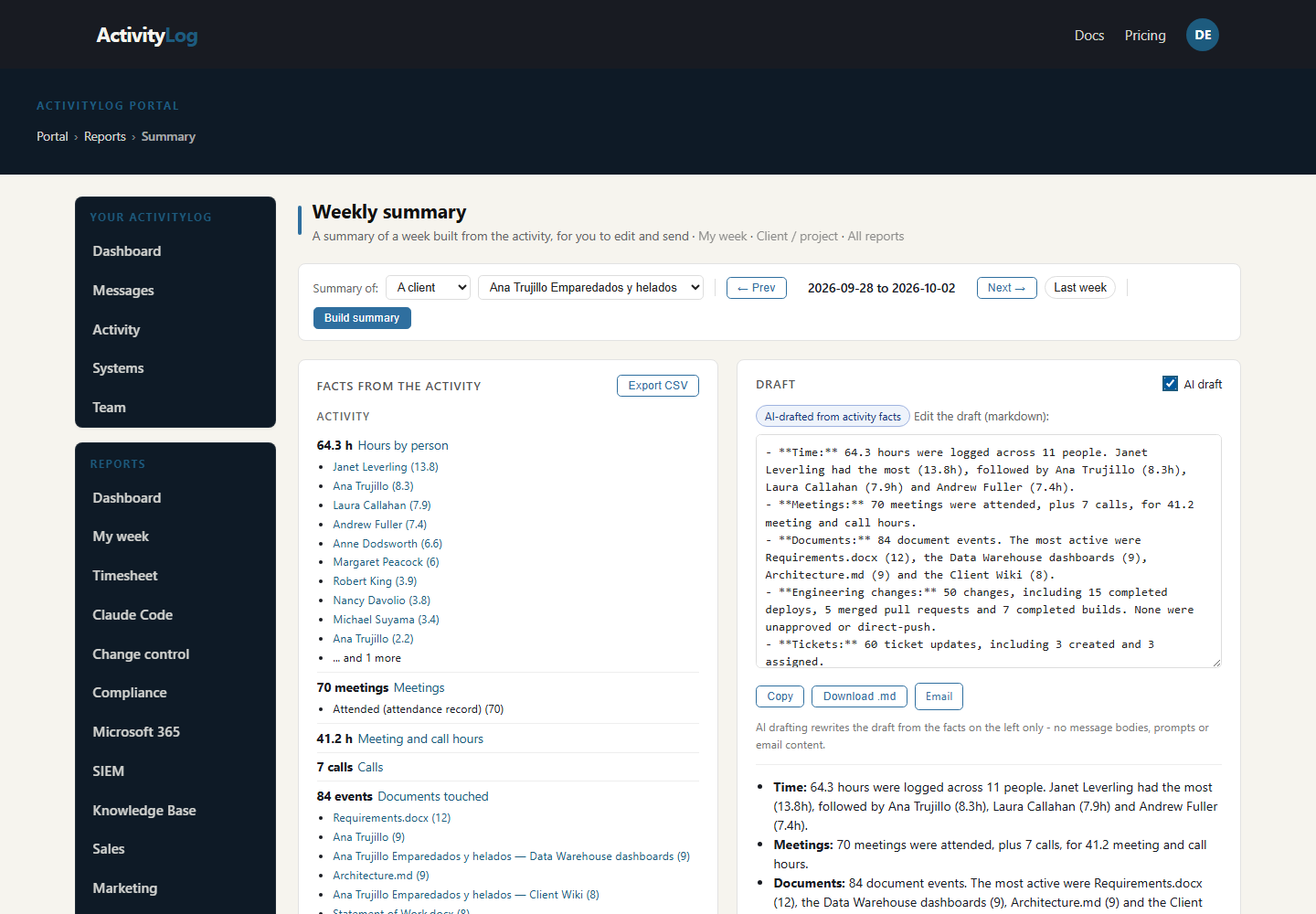
The summary writer scoped to the client: the same facts written up as a short update you can edit and send to the partner.
A briefing is built from the activity ActivityLog already collects, tagged with the client or project it belongs to. Nothing extra has to be filled in.
Meetings and calls with their attendance time, mail sent and received, documents opened and shared. Never message or file content.
Read-only Microsoft 365 connection approved once by your admin.
Changes, builds and deploys; tickets and the pages people edited.
DevOps service hooks and the knowledge-base integration.
Deals, stages and logged calls, emails and meetings for the account.
A HubSpot private app with read access.
Submitted time entries per client and project.
A Harvest connection with read access to time entries.
Activity flows in from the tools your team already uses.
Each item is matched to its client or project from the account, the site, the repository or the project rules you set.
The client or project page shows the people, hours, meetings, changes, documents and open items for the period you pick.
The summary writer drafts the update from those facts. You edit it, then copy it, download it or email it. An optional AI draft uses the facts only, never message or document content.
No. It is built from counts and names of activity (meetings, changes, tickets, documents touched), not from their content. The optional AI draft gets the same facts and nothing else.
From the customer account and domain, the SharePoint site, the repository and your own project rules. Anything that cannot be matched shows as Unassigned.
Yes. The draft is always editable, and nothing is sent until you copy, download or email it yourself.
ActivityLog is in beta. Connect the tools you already use and get this report for your organisation.
See pricing →Questions first? Talk to us → · All use cases